Updating your payment method in MyMobile is simple. If you want to switch out the credit or debit card you previously selected for AutoPay, add the new card to your account first. Learn more here.
Add
1. Sign in to MyMobile
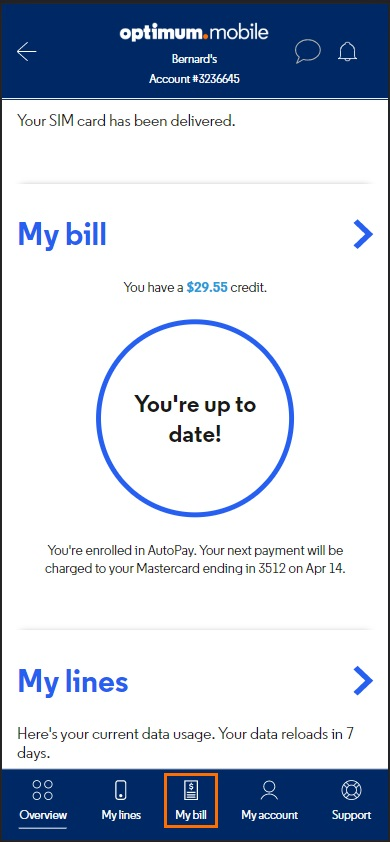
2. Tap My bill at the bottom of the screen
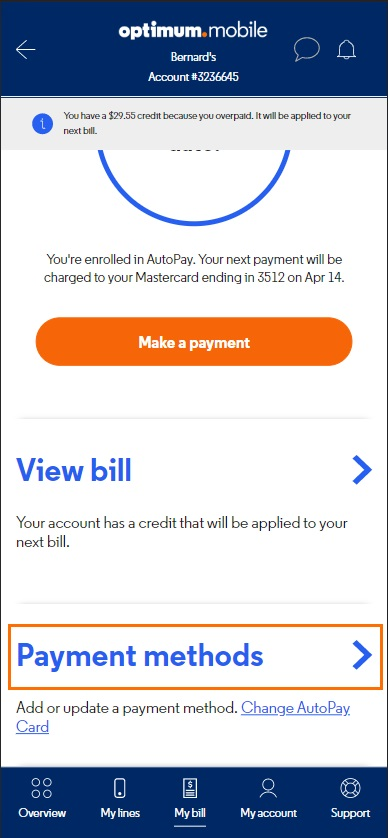
3. Tap Payment methods
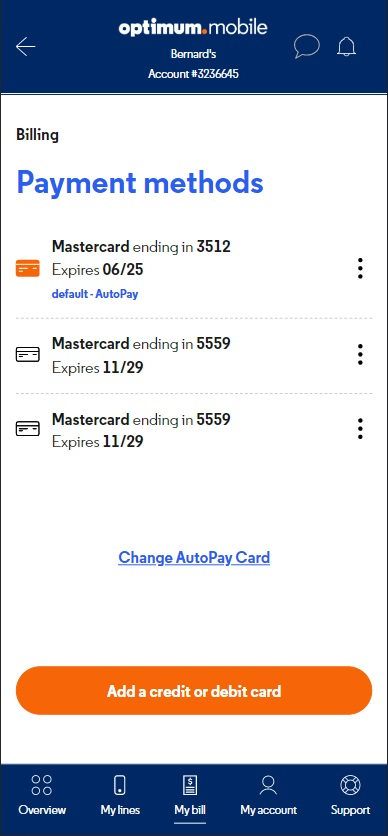
4. Tap Add a debit or credit card
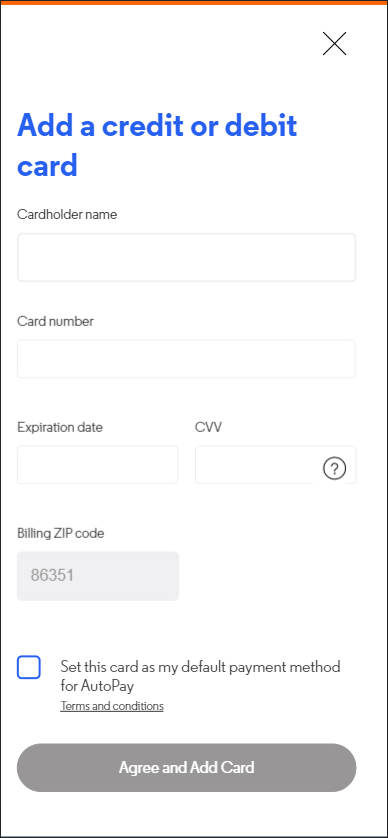
5. Complete all the fields and tap Add Card
Delete
1. Sign in to MyMobile
2. Tap My bill at the bottom of the screen
3. Tap Payment methods
4. Tap  next to your existing card
5. Tap Delete payment method
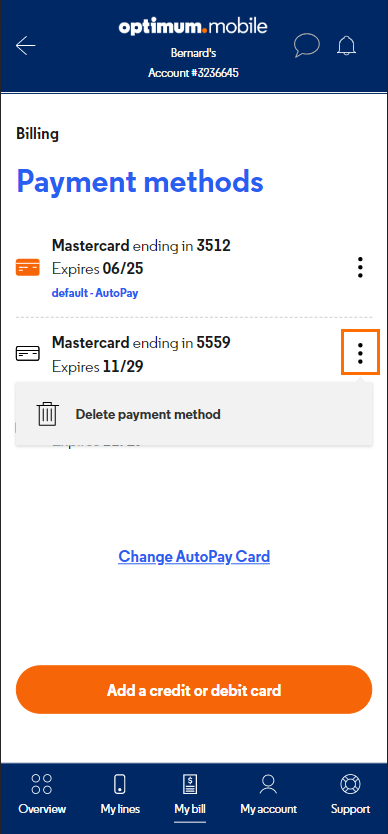
6. Tap Yes, delete payment method
Help
Our Optimum Mobile team is just a phone call away.